by

Windows 10 Hidden Screen Recording Tool

In my last presentation I used the Windows 10 built-in recorder feature. And for my surprise, a lot of people never heard of it!

So I thought about writing a post I can use and refer people to on how to use this “hidden” cool feature.

First think press “Windows Key + G”

This will bring up the following menu. Don’t worry if it is a game bar or not, just choose “Yes, this is a game” here.image

Next, you will see the following bar. In there you see the reb button which is the start/stop recording. As soon as you click on it, Windows 10 will start recording your screen.

image

When you’re happy with your recording, press/click the red button again. The recording will stop and you will see the following message in your notification area,

image

Your recording is saved in your Videos/Captures folder.

Well, that’s it. Simple, hey? I hope you found this tip useful. Let me know what do you think.

by

The Valley of the Kings Internet Version

The valley of the Kings is an archaeological site in Luxor, Egypt where 63 tombs and burial chambers are located. As you expect, several illustrious and very powerful people (aka. Pharaohs) from back then are buried there, hence the name “Valley of the Kings”. This was like 15 centuries BC. And they are all located in a small area. This has a strong symbolism.

valley-of-the-kings-map

Nowadays if you exclude the leaders of the powerful nations, the powerful folks are really the giant companies. From tech, to chemical and pharmaceutical…these guys rule our planet and the direction when the winds blow.

The Economist recently created a cool infographic about the Silicon Valley companies and their size in millions of dollars. When I saw this picture I immediately recalled the Valley of the Kings map. Have a look and tell me if that’s not strikingly similar…well, considering these companies are alive and kicking!

sillicon-valley-of-the-kings

by

I’m Speaking at the Office 365 Saturday Australia 2015 #o365cbr

I am delighted and humbled to have been confirmed again as a speaker for Office 365 Australia.

This fantastic event is held in most capital cities in Australia throughout the year. At each event there are no less than 10 fantastic sessions covering all aspects of Office 365 presented by respected professionals in various fields.

O365 Saturday Australia

Join administrators, end users, architects, developers, and other professionals that work with Microsoft Technologies for a great day of awesome sessions presented by industry experts.

The Session

My Session is called "eDiscovery and Privacy: All your data are belong to us!"
Abstract: "In the 90s, Legal and IT professionals began compiling computer data and legislation, eDiscovery started its first steps. Back then, nobody would believe email, let alone social media, could be used in court. 20 years later, eDiscovery is here to stay, but is the industry prepared?"

In this session, we will talk about the biggest challenges for eDiscovery and some solutions in the works, with focus on Office 365 technologies."

edge-pereira-office365-saturday-australia-canberra-o365cbr-speaker

When and Where

O365 Saturday will happen in Canberra, Australia on 24th October at Cliftons - 10 Moore Street, Canberra ACT 2601. Registrations start at 8:30am.

Come and join the fun. This is a great opportunity to meet with our community, connect and grow friendships and discuss real life, everyday challenges with likeminded folks.

by

Collab365 Conference Social Media Numbers

We made it! Collab365 was a fantastic event. Truly global, multicultural, multi-time zone, multi-everything.
And I am humbled to have been part of the event sharing knowledge.

During 2 days, across the whole planet, experts on Office 365, SharePoint and Azure bonded in a series of presentations delivered from Europe HQ to the whole world all thanks to the magic of the streaming. At this day and age when everyone mostly (only) talks about the new buzzwords "innovation", "disruption", "internet of things"  the Collab365 team done it and shown it.  I have a few “Thank You” words to the organizers, presenters and attendees. If you this this is a TL;DR kind of text, feel free to skip straight to the nice pictures a bit later in this post. They have the social media data collected.

To the Organizers

You guys are awesome! (I mean, really). From the whole organization with tasks, electronic signatures, forms technology and all that jazz. I don't think people actually understand how big of a deal organizing such a thing is. I don't think I can write enough about how I appreciate your initiative and effort. I wish I could pay you a beer or a cup of coffee or whatever :) you guys and girls did it!

To the Speakers

I mean, we (the presenters) didn't do this for money (I know, I know..I can hear the arguments, but bear with me on this). We do this because we love to share knowledge! I do have a wife and 3 kids and a consulting job that makes me travel a lot, weeks away from home sometimes!! It is hard to find time and put together content, work on demos, test, present, adjust, cut here and there, lots of late nights...all this in the hope that people will find our knowledge useful. I am sure some demos did not go as well as expected, someone must have been sick on the day, the connection was not great, some presentations were longer than expected since we were streaming etc...but the knowledge is there and was shared. I believe that if at the end of the presentation people left knowing something new they didn't know before they started, that's a huge accomplishment. We did it awesome!     

To the Attendees

You guys rocked! all this effort wouldn't mean anything if nobody turned up. We connected at the coolest level, at the intellectual level and with the spirit that 2 + 2 = 5. The sum of our gathering makes something bigger the us. And that is now history, immortal. Be proud of that! If you see any the presenters or organizers online or in person, give them a beer :) It is hard finding the time to put a presso nicely and deliver to the masses. Harder that most people think! Well, some people are naturals at it but I am talking about what I do and what I see out there with other presenters :)

OK, Let’s Talk About the Stats

In the spirit of continuous improvement, I needed to find data about the past to improve the future thus delivering a even better next event. So, at the end of the conference on a Friday night I put the kids to sleep a bit early, prep myself the a cup of coffee and went on to collect data and analyse the numbers of the conference. My criteria used twitter hashtag #collab365 and the event organization handle @colla365 as starting points. No Facebook analysis was done. (Maybe in the next one…) From there a whole bunch of data is collected. Data about geographies, gender were taken from the twitter profiles that had them exposed. Data related to time and date were relative GMT (London). The collection stated 6 hours before the conference started and ended 6 hours after the conference finished. If I tried to collect the same data later tomorrow it is likely to be a bit larger because people might still be posting their sentiment online about the conference and still using the hashtag.

I will come back latter to update the text and stats comments in this post, so feel free to check  back this link from time to time.

Anyway, I won't take much from your time reading my musings here :) Let's go to the numbers.

edge-pereira-collab365-office365-conference-2015-1edge-pereira-collab365-office365-conference-2015-2edge-pereira-collab365-office365-conference-2015-3edge-pereira-collab365-office365-conference-2015-4edge-pereira-collab365-office365-conference-2015-5edge-pereira-collab365-office365-conference-2015-6edge-pereira-collab365-office365-conference-2015-7edge-pereira-collab365-office365-conference-2015-8edge-pereira-collab365-office365-conference-2015-9edge-pereira-collab365-office365-conference-2015-10edge-pereira-collab365-office365-conference-2015-11edge-pereira-collab365-office365-conference-2015-12edge-pereira-collab365-office365-conference-2015-13edge-pereira-collab365-office365-conference-2015-14edge-pereira-collab365-office365-conference-2015-15edge-pereira-collab365-office365-conference-2015-16edge-pereira-collab365-office365-conference-2015-17edge-pereira-collab365-office365-conference-2015-18edge-pereira-collab365-office365-conference-2015-19edge-pereira-collab365-office365-conference-2015-20edge-pereira-collab365-office365-conference-2015-21edge-pereira-collab365-office365-conference-2015-22edge-pereira-collab365-office365-conference-2015-23edge-pereira-collab365-office365-conference-2015-24edge-pereira-collab365-office365-conference-2015-25

by

A Cloud Data Governance Model for Office 365 Delivery

If you have ever been involved in enterprise-wide cloud or collaboration projects (specially using SharePoint) you have heard about governance every second-day. Governance is a big ticket these days to tackle in every serious IT project.

Quickly summarizing, governance is the set all processes of "governing" (as in state governments) the interaction and decision-making steps for a scenario or problem. This set of processes are then normally compiled into a piece of work that outlines how to enforce these rules in the big picture and make sure they are adhered and followed. This is a broad explanation, and because IT is so complex and vast every time someone talks about governance, it is always followed by an area and never a single-monolithic set of rules. That's why we hear about: SharePoint Governance, Cloud Access Governance and so on.

Anyway, today we will talk about cloud data governance. The need this has always been a recurring theme when we talk about data protection and compliance. With Office 365 it wouldn't be different.

Cloud data governance is important because without it, any data protection strategy you want to apply to our Office 365 enterprise compliance will be like a silo, isolated.

For starters, let's try to get a generic picture of data governance and break it down to a bit more specialized areas.

Please bear with me and allow me to start a very simple and generic Cloud Data Governance model which can be used for a classic Office 365 collaboration project. One that can be easily categorized in: Foundations and Leadership.

edge-pereira-office-365-cloud-data-governance-model

Leadership is About Structure

Leadership is about structure and the programs that drive the governance enforcement. Executive powers in this category covers what organizational management tasks are required to make sure an ongoing commitment is established and cascaded down to the peers. Data Stewards and Custodians make sure that the RACI matrix is cleared, covering the roles and responsibilities of every individual affected directly or indirectly by the governance plan is addresses.

Foundation is About Initiatives

Foundation is about initiatives that as a whole covers the basics on the compliance, authorities and risk management.

Thinks like business continuity (including disaster recovery) addresses the risk management responsibilities. When events happen which causes the data to change during its lifecycle, the information lifecycle management kicks in, making sure these audit trails are aligned with your data protection rules.
Under the foundational stones, we also can include data architecture addressing master data management; Retention management to make sure analysis tolls are fully functional and addressing data requirements updates for keeping and trashing of data; Data quality to make sure the data is healthy and in perfect quality for its usage; and as expected, Security which in our cloud case addresses data classification and confidentiality. Security can't cover much more than this because, remember we are talking about Microsoft cloud infrastructure, and most of the other aspects are taken care of by the Microsoft security team. There is only so much further we can go on it.

This graph is a quick illustration of what an average cloud data governance looks like from a helicopter view. It does not mean that it covers everything your organization needs. Likewise, it also does not mean that every single data governance control needs to be associated with data protection. The main goal here is not achieve 100% of security (which is in itself, quite a task if you ask me) but instead to minimize the gaps and the surface for attacks and breaches.

The broader you start with your cloud data governance picture the better it is, because it will be like a beacon providing guidance for big and small pieces of projects going on. And at the end of the day, project teams want to have something to aim for. The governance strategy is not static, it adapts to the needs and if something is missing, generally there is no issue, just address it in the strategy and make sure the communication plan is in place for it.

by

Who Owns My Data Stored on Office 365 ?

OK, so by now you have know that decided to keep your emails, photos, documents in the cloud (using Google, Microsoft, Yahoo, Amazon etc) and talking with people, one question that I get very often is "Hey, since I am keeping my files in the cloud stored in these companies machines, do they own my data now? Can they read my emails?"

edge-pereira-office-365-who-owns-the-data-1

I am going to address here the Microsoft point of view. Short answer: No, you still are the owner of the data. Even if they are stored in their servers.

Of course, Microsoft has a very comprehensive process to access the data stored, after all that information stored in the cloud needs to be looked after (backups, storage, etc). There is very, very, very little possibility for someone alone get their hands in your information.

For example, when you open your email or when you see a photo from your online album stored in the cloud, there is a huge amount of processing, exchange and compiling happening behind the scenes to grab your data which is spread in many locations and make it to your computer screen magically as if it was stored in your computer's local drive. If someone had access to the actual physical server where these emails or pictures are stored, it would be virtually impossible (just to not to say 100% impossible) to retrieve that same information.

That's because there is a very complicated and secure process for this to happen and the reason this process exists is to address privacy, regulations and compliance concerns of several institutions and governments. Remember: Just like regular users, Microsoft also has big organizations and even governments as clients and they store data there too.

About Data Visibility and Control

Now, let's talk about what happens when someone first moves their data to the cloud. When this happens, a key tenet of ownership is the visibility level and control that person has over their data. They are basically compost of 3 things: Being able to see the data, being able to perform actions on the data, being aware of what actions were performed on the data at any given time.

edge-pereira-office-365-who-owns-the-data-2

And despite these seems to be 'simple things', they are extremely complex to achieve. Nevertheless they are achieved to the perfection by the cloud team. Quite frankly, chances are your data is several times more secure in the cloud than it is in your local computer or hard disk. Want to test that theory, just ask around how many people use any encryption in their computers, mobiles, USB drives? This is a very basic test that many of us don't pass. Another one, if your computer or external disk crashes, would you recover ALL your data in less than 1 hour?

As you can see, the challenge here is because it is on you/us to define and implement consistent configuration with appropriate data access and process and distribution and backups across all your environments. This is a costly process (would you have a separate laptop 100% synchronized with your current laptop just in case it crashes?) and usually requires specialist knowledge for administration. In Microsoft Office 365, that is all baked into the service for you.

Not to mention archiving is built directly into the cloud, so you can take actions like preservation, deletion, auditing, and data loss prevention, and perform search based on who uploaded the data, who modified the data, date range, keyword etc.

To be able to viewing and perform actions on the data are extremely privileged operations and in the Microsoft cloud there are defined roles defined for a specific set of people. If you're not satisfied with it, the scope and reach of these roles can be defined the customer itself (after all, they own the data).

Feel free to share your experience with storing data in the Microsoft cloud or Office 365, or any other cloud provider company for that matter.

by

I’ll be Speaking at the 2015 Collab365 Conference

I am super excited to be selected as speaker at the Collab365 Conference. The largest Office 365, Azure and SharePoint event of 2015.

edge-pereira-office365-collab365-event-mvp

It will be 24 Hours of Office365, SharePoint, Azure and more!! This is the event for 2015 if you want to gain in depth insights from experts all over the globe. Whether its the technology that you want to learn about, the applications or the implications of using Office365, SharePoint or Azure, this is the place where you will find answers. Our speakers will bring their lessons flavoured with unique local perspectives directly to your device.

We are 62 MVP's. 6 MCM's. Microsoft Product Managers and experts. The level of submission to the event was staggering.

Collab365-office365-edge-pereira-speakers

Starting on October 7th 2015. Following the sun for 24 hours, the COLLAB365 "Global Conference" is THE virtual conference if you want insight into Office365, SharePoint, Azure and more! Register now to be one of an expected 10,000 delegates.

Have a look at the great line up of speakers, sessions and register to not only participate of this massive event but also win prizes!

And as for my session…you know what to expect Winking smile

edge-pereira-collab365-office365-dlp

Win, Win, Win for everyone!

See you there.

by

Public Speaking Presentations Edge Pereira

I do speak quite often and generally I try to make them as fun and entertaining as possible. If you’ve been to one of my sessions, you know what I am talking about Smile

edge-pereira


Here are some of the presentations I’ve done so far…

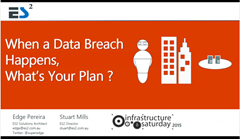
imageSession: When a Data Breach Happens, What is Your Plan?

Event: Infrastructure Australia 2015


imageSession: Office 365 Data Leakage Protection, Privacy

Event: SharePoint Paris 2015


Event: Office 365 Australia 2015 – Canberra


Event: Collab 365


Event: Office 365 Australia 2015 – Brisbane


Event: Office 365 User Group Australia


Event: TechEd Australia 2014 - Sydney


imageSession: Regulatory Compliance and Microsoft Office 365
Event: TechEd Australia 2014 – Melbourne


Event: Infrastructure Saturday Brisbane 2014
by

The Age of the Digital Workplace and Office 365

“Today’s workplace is challenging. Motivated by their own digital experiences at home, workers now desire the same in the workplace. In this session we will demonstrate how Office 365 can harness the power of digital to provide workers an engaging and empowering experience, using Skype, real-time collaboration with OneNote, Yammer, groups all these from their own devices ultimately driving a transformational business change for the better.”

Thank you everyone who came to my session at the Australian Office 365 Saturday conference. It was an absolute honour to share and learn with you. Feel free to reach out. Let’s continue the conversation.

Here are the slides!